
When Entry Point open check value comes back OPEN | CLOSED | HOLIDAY | CLOSURE
-
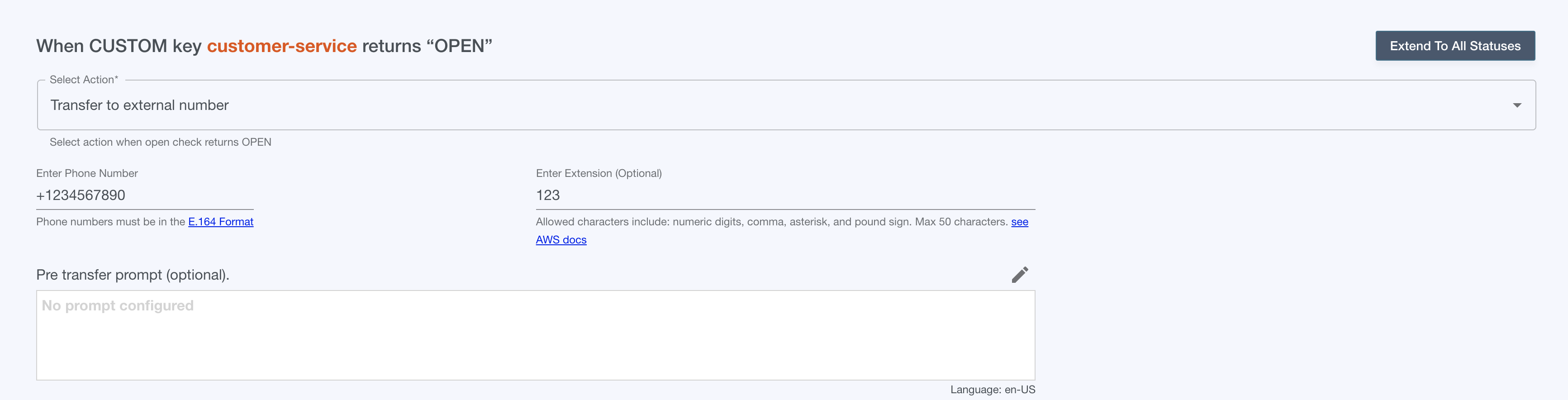
Select “Transfer to external number from the dropdown”
-
Enter an E.164 formatted phone number.
-
E.164 phone numbers
[+][country code][area code][local phone number]-
Start with “+”
-
Include country code, area code & local number
-
If area code has a leading zero, drop it:
ex. For UK number 020 1234 1234 → +442012341234
-
-
-
Enter an optional extension
-
Allowed characters include: numeric digits, comma, asterisk, and pound sign. Max 50 characters.
-
-
Configure an optional pre-transfer prompt. This will be played before the transfer is made.