
Fallbacks are configured in case an unrecoverable error occurs in the entry flow, or the call is no longer able to advance to downstream flows in the manner intended. You can target a specific queue treatment and queue for fallback, as well as provide an optional error message.
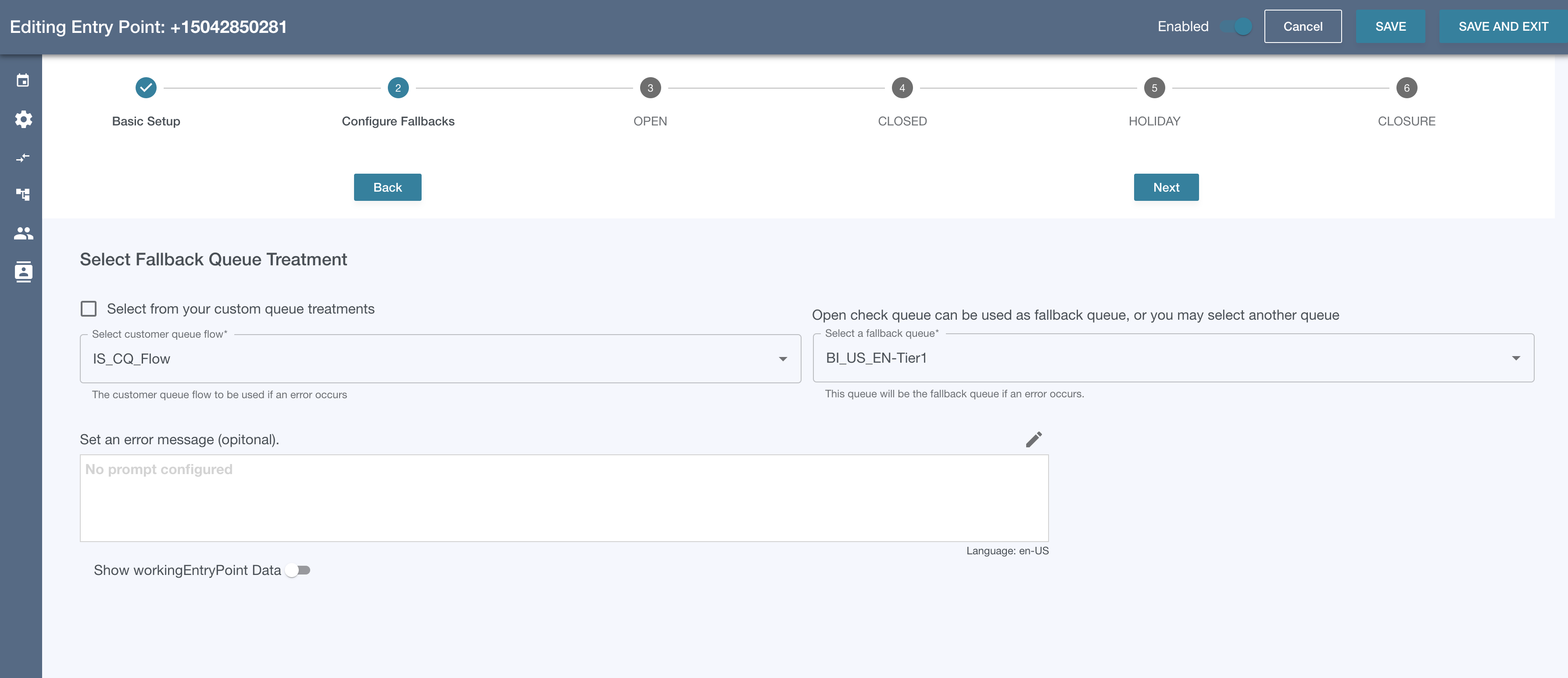
Step 2.1 - Set the Fallback Queue Treatment
-
There are two possible sources for fallback queue treatments.
-
An existing customer queue flow in Connect
-
A custom queue treatment built in Flow Engine - Queue Treatments (see Queue Treatment - OMP v7.0.0+ )
-
-
Check the “Select from your custom queue treatments” box to see the list of custom queue treatments in the dropdown.
-
Note: If you plan to build a custom queue treatment later, you can leave this blank or temporarily select another queue treatment flow and change this later.
-
Step 2.2 - Set the Fallback Queue
-
If you selected a queue for the open check type in Step-1.3, that queue will be pre-selected, but can be changed.
Step 2.3 - Set an Error Message
-
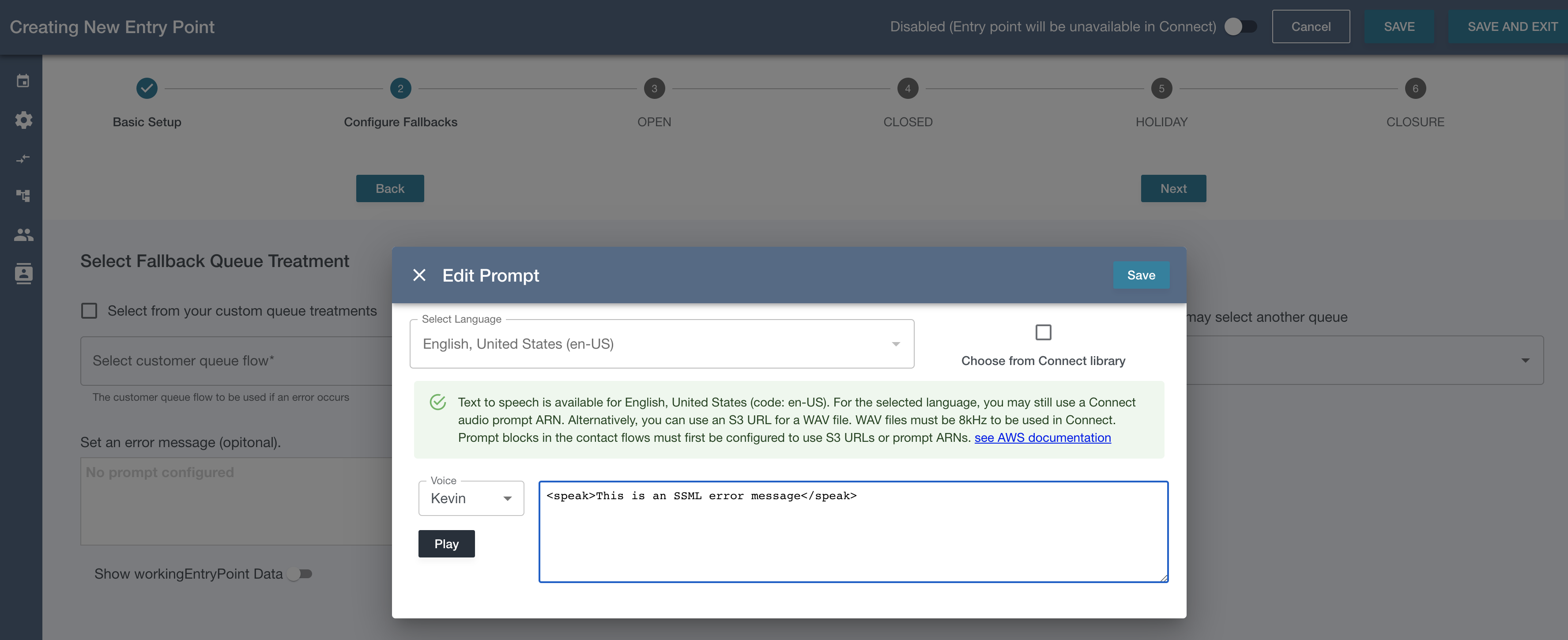
Click the edit icon on the top-right of the prompt display box. For this and all prompts in Entry Point Management, language input will be pre-selected to use the default language set in Step-1.2 and cannot be changed.
-
You can use a text, SSML, an S3 url, or check the “Choose from Connect library” box and you can set a prompt arn from Connect.
-
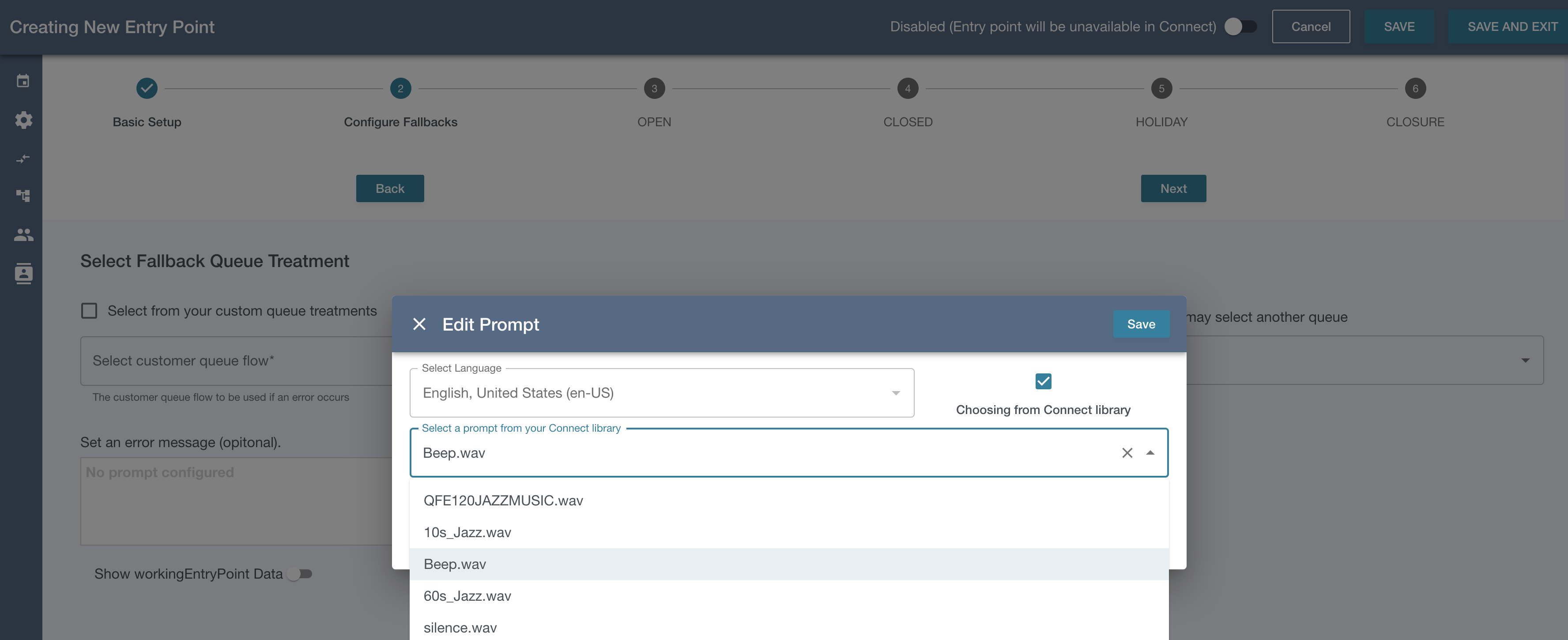
If you select a Connect prompt arn, the name will be displayed in the text box, but the underling value is still the arn. Hovering over the name will reveal the arn: 
Now that fallbacks have been configured, we can move on to Steps 3 - 6 Handling the Open Check Statuses