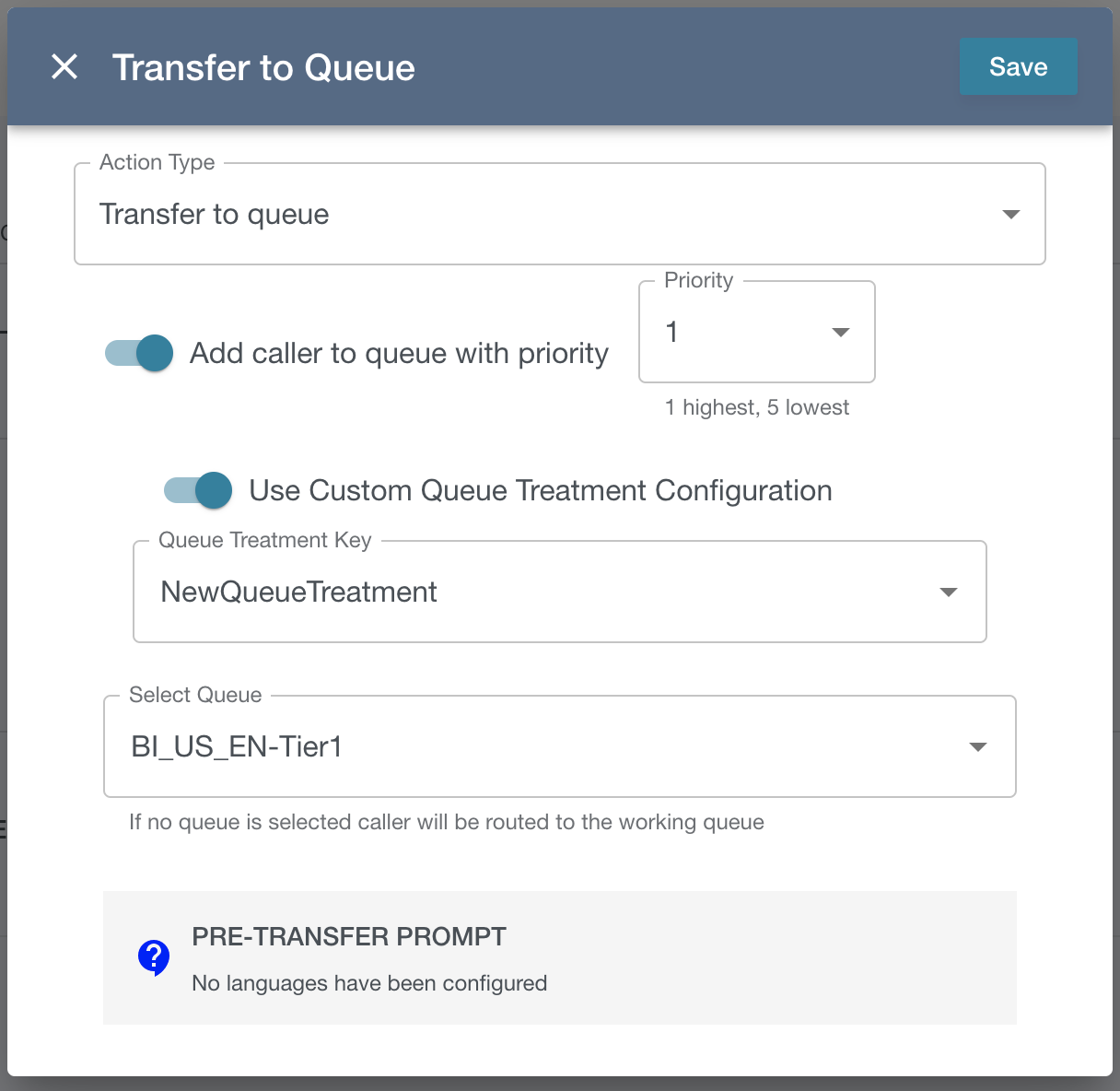
The attributes for this action are set in the VF_DEFAULT_MODULE_SET_MENU_ACTION_ATTRS
There are 4 components to the transfer to queue action:
-
Call priority
-
Toggle the switch to activate the dropdown.
-
Priority can be 1 - 5, 1 being highest, 5 lowest
-
-
Queue Treatment
-
You can choose a queue treatment flow in Connect or a queue treatment configured in Flow Engine (see Flow Engine Queue Treatment)
-
Toggle the switch to change between a list of Connect customer queue flows or Flow Engine Queue Treatments
-
-
Queue
-
Select the queue you want to be set in the VF_DEFAULT_TRANSFER_TO_QUEUE_FLOW
-
-
Pre-Transfer Prompt
-
An optional prompt to play before transferring to queue
-