
When editing or creating a DTMF menu, you have the ability to make menu options multi DTMF. When a menu is multi DTMF you can use a sequence of characters that are 0-9, # or *
The Menu Engine Flow uses Store Customer Input blocks configured with a 5 second timeout. It is recommended to add wording in the Menu Prompt for a terminating key press to avoid long pauses after the customer has input their information.
Ex.
“Please enter your party’s extension followed by the pound sign.”
If no terminating key press is provided, the customer will have to wait five seconds before the Store Customer Input block times out.
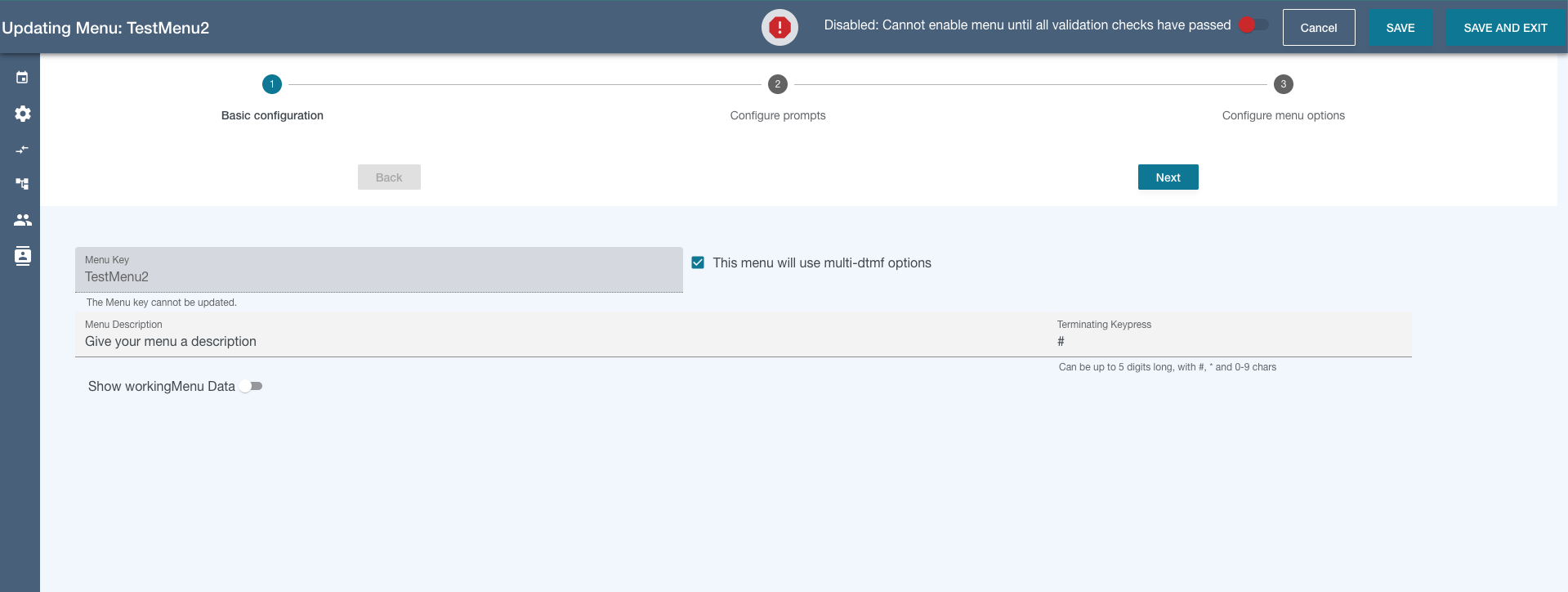
To make a menu multi-dtmf, check the box next to the menu key and a terminating key press input will render. Add your terminating key press character (usually #).
Note - if you are switching a multi-dtmf menu to a single-dtmf menu, your dtmf options may need to be reconfigured. You will get validation errors and messages showing which options are misconfigured.