
Various types of screen pops can be configured within Agent Desktop. If configured, the screen pop integrated with the Agent Desktop will open the target system in the manner which it has been configured by your administrator based on the configuration settings.
Example:
When a new call arrives, a new tab opens in your web browser whosing your CRM application. The page opens based on attributes passed by Amazon Connect which could identify a customer based on their phone number.
Types of Screen pop
Custom Screenpop
-
Custom Target - Such as an external webpage or host system
System Screenpops
-
Customer Profile
-
Notes
-
Outbound Dialler
-
Scheduled Callback
-
Dynamic Form
Custom Screen pop Behaviour
Custom Screenpop
Custom screen pops can vary based on your requirements. Please refer to your Contact Centre administrator for the use case for your individual user guide.
System Screen pop Behaviour
Customer Profile Screenpop
As a customer calls in or starts a chat, Amazon Connect Customer Profiles automatically scans and matches the customer’s phone number or customer ID against customer information from connected applications.
Customer Profiles combines contact history information from Amazon Connect (e.g. call duration, queue, agent & timestamp) with customer information from CRM systems, and e-commerce and order management applications (e.g. address, phone number, recent orders, current order status).
When an agent accepts a call or chat interaction, a search will be made against the contact's phone number or customer ID.
Any customer profiles which tie back to the search criteria will be displayed within the Agent Desktop.
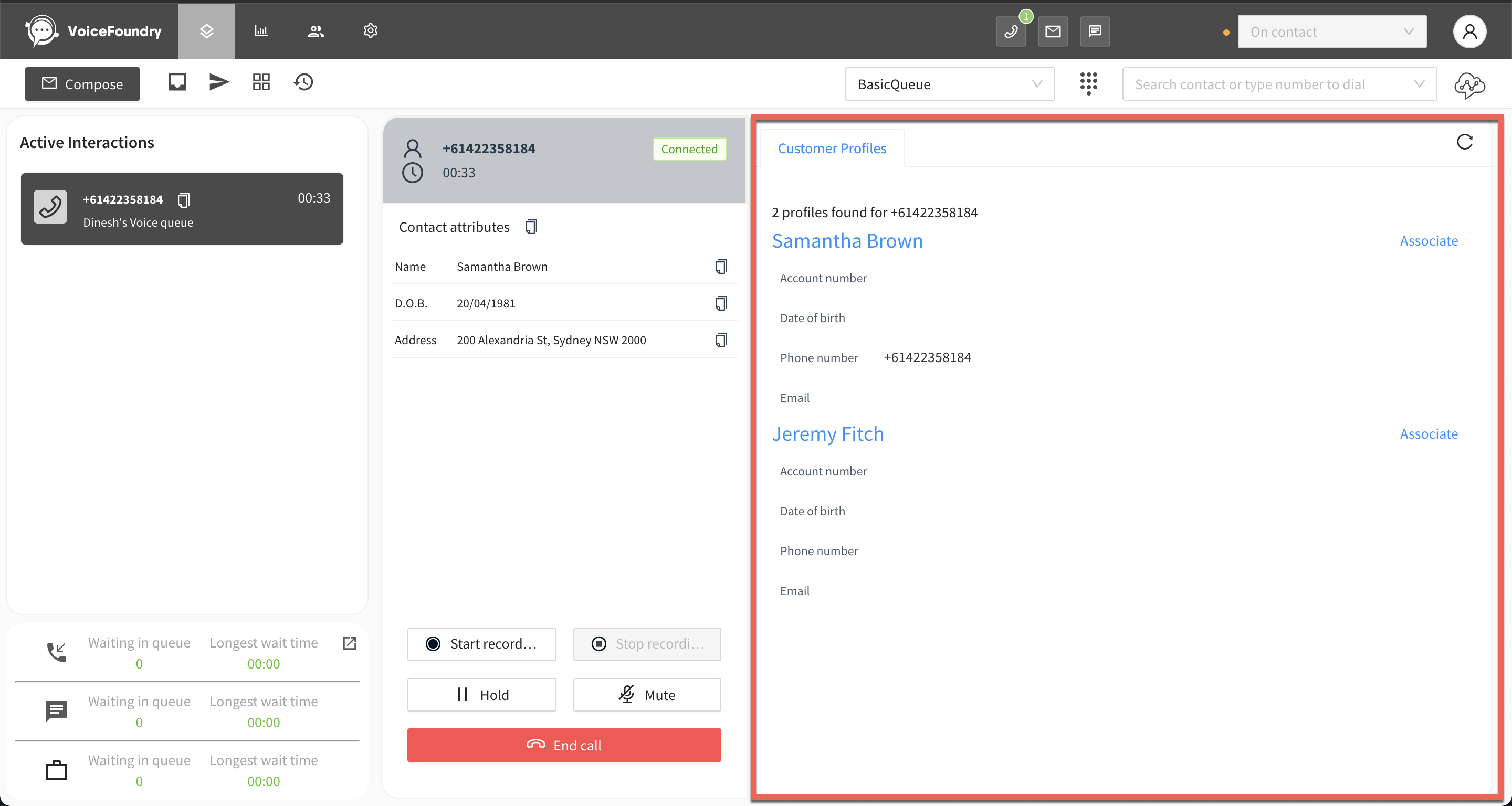
Refer to Using Customer Profiles for further user guides.
Notes Screenpop
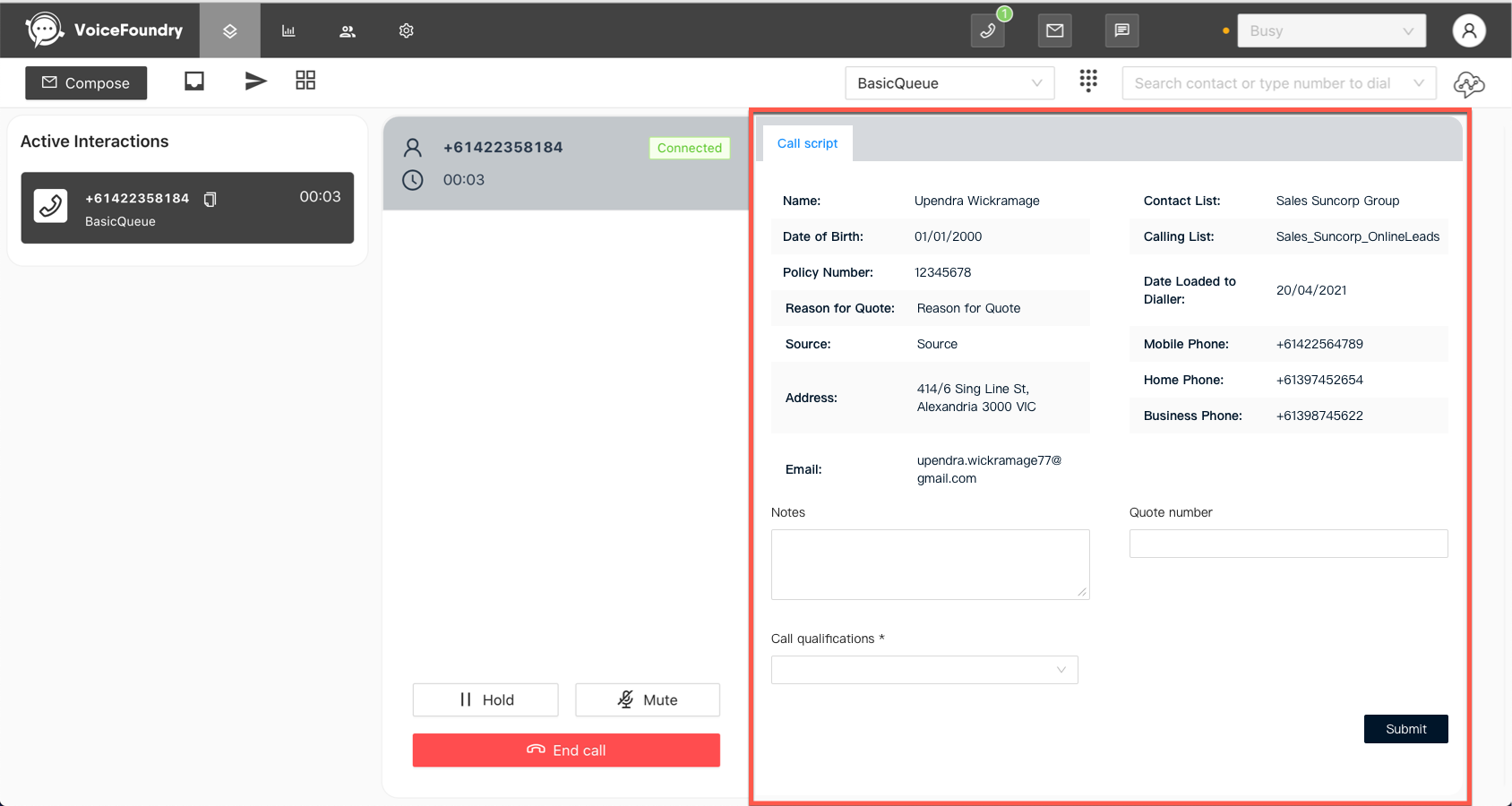
Outbound Dialler Screenpop
When you accept a call from an outbound dialler campaign the script for that call will appear on the right-hand side of the Agent Desktop. Based on the campaign you may be presented with some input fields (e.g. Notes and Quote number).
Scheduled Callback Screenpop